Analyze a Deal

PCBuyer Intelligence Platform

AI Computers: Check, Build & Buy the Right PC for Local AI

Compare AI-ready laptops and desktops, check your current computer, and learn which specs matter for local AI, LLMs, image generation, and private document workflows.

VRAM FirstStorage ScoredIndependent & UnbiasedMethodology v2.3
Recommended for you

Recommended AI Computers Better Than Your Current PC

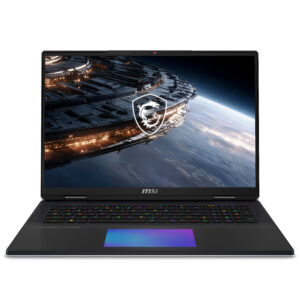
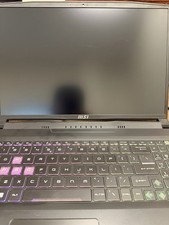
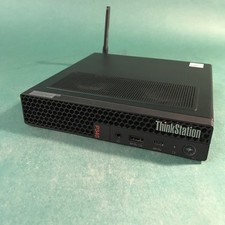
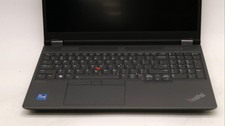
Start with the browser check, then compare stronger AI-ready laptops, desktops, and tablets. Product links stay on PCBuyer first.

View all top picks →
Get a more accurate score

Enter Full Specs for a More Accurate AI Score

Our manual tool uses your actual GPU model, VRAM, RAM, CPU, storage, and workload to calculate a stronger AI readiness result.

Open Full AI Readiness Tool →
Choose your next step

What would you like to do next?

Pick the path that matches what you came here to do. Each option keeps you on PCBuyer first.

Why trust PCBuyer AI ratings?

Our goal is to help you buy the right computer for your AI needs today and tomorrow.

VRAM-first scoring

We prioritize VRAM and unified memory because it is often the first bottleneck for local AI performance.

Learn more →
Storage & usability matter

Storage size, storage type, RAM, CPU, and confidence signals affect the final recommendation.

See methodology →
Independent & unbiased

No paid placements. PCBuyer analysis and product pages come before merchant checkout.

Our promise →
Interactive AI tools

Check, build, or test model compatibility

Use one focused tool at a time. The readiness checker stays private and browser-safe.

How we score AI PCs →

AI PC Readiness Checker

Check your current computer using a browser-safe estimate, then enter exact specs for a stronger score.

Browser-safe AI readiness estimate

This checks browser-exposed capabilities only. It does not read your files, scan folders, inspect documents, or upload hardware details unless you manually submit the form below.

Need help finding your specs?
Processor

Windows: Start → Settings → System → About → Processor.

Graphics card

Right-click Start → Device Manager → Display adapters, or open Task Manager → Performance → GPU.

RAM

Windows: Start → Settings → System → About → Installed RAM.

GPU memory

Desktop → Display settings → Advanced display → Display adapter properties → Dedicated Video Memory.

These steps only help you find what to type into the form. PCBuyer does not read files, scan folders, or inspect installed software.

Build wizard

Build Your AI Computer

Answer a few questions and PCBuyer will recommend an AI PC tier for your workload.

What will you mainly use your AI computer for?
Local AI model fit

What Level of Local AI Can This PC Run?

Choose your RAM, graphics type, GPU memory, and storage. PCBuyer will estimate the local AI model class your computer is likely suited for.

What does 7B mean? It means roughly 7 billion parameters in the AI model — not a computer model number and not transactions.

Local AI model classes

Plain-English guide to 3B, 7B / 8B, 13B and larger AI models

These are general hardware rules of thumb. Quantized models and software settings can change what is practical, but this gives buyers a useful starting point.

Cloud / Browser AI only

Use ChatGPT, Claude, Gemini, Copilot, and browser-based AI tools.

Hardware rule of thumb

Any modern PC, 8GB+ RAM, SSD preferred. No dedicated GPU required.

Example model / software

AI Lesson Center

Small Local AI — 3B class

Lightweight local assistant, summaries, simple chat, and basic private notes.

Hardware rule of thumb

16GB RAM, SSD/NVMe, integrated graphics can work; dedicated GPU improves speed.

Example model / software

Llama 3.2 3B · LM Studio

Everyday Local AI — 7B / 8B class

Practical local chat, light coding, document help, and small research workflows.

Hardware rule of thumb

16GB–32GB RAM, SSD/NVMe, 6GB–8GB VRAM preferred.

Example model / software

Llama 3 8B · Mistral 7B

Larger Local AI — 13B / 14B class

Heavier local assistant use, better reasoning, larger document work, and coding help.

Hardware rule of thumb

32GB–64GB RAM, SSD/NVMe, 12GB+ VRAM preferred.

Example model / software

Phi-4 14B · Ollama

Advanced Local AI — 30B+ class

Serious workstation local AI, larger private workflows, and more demanding experiments.

Hardware rule of thumb

64GB–128GB RAM, fast NVMe storage, 16GB–24GB+ VRAM for selected quantized larger models.

Example model / software

Gemma model family · LM Studio

AI Image Generation

Stable Diffusion / SDXL-style image generation and creator workflows.

Hardware rule of thumb

8GB VRAM minimum, 12GB+ preferred, fast SSD/NVMe strongly recommended.

Example model / software

Local AI Software Setup

Compare before you buy

Compare AI computer candidates

Cleaner rows for comparing likely AI-ready systems by specs, AI tier, current offer signals, and next action.

View all AI computers →
Learn and get started

Learn, build, and run local AI

Practical education and setup guidance for buyers who want to understand what they are buying.

Visit AI Lesson Center →
AI Lesson Center

Beginner-friendly lessons on AI computers, local AI, hardware specs, and practical use cases.

Visit AI Lesson Center →
How to Build Your AI Setup

Step-by-step setup guides for LM Studio, Ollama, Open WebUI, RAG workflows, and local models.

View setup guides →
Local AI Software Setup

Install local AI tools, download models, organize storage, and start useful workflows.

Open setup guide →
What specs matter most?

The practical hardware order

Use this order when comparing computers for local AI. It keeps the page practical instead of buried in jargon.

  1. 1VRAM / Unified MemoryThe most important factor for local AI model size and speed.
  2. 2RAMMore RAM helps with larger models, multitasking, and fallback workloads.
  3. 3GPU SupportNVIDIA CUDA and Apple Silicon currently have strong tool support.
  4. 4Storage Size / TypeNVMe SSDs load models faster and improve responsiveness.
  5. 5CPUImportant for data prep, general performance, and CPU fallback.
  6. 6NPUUseful for efficient on-device AI features, not a replacement for GPU VRAM.
See the full methodology →
AI computer buying tiers

Typical AI computer budget ranges

Use these ranges as a starting point. Exact performance depends on GPU, VRAM, RAM, storage, cooling, and workload.

Starter AI PC

For AI chat, school/work help, light coding, and browser-based AI.

Recommended:
  • 16GB RAM minimum
  • SSD storage
  • Better: 32GB RAM if budget allows
Typical: $600 – $1,200

Serious Local AI PC

For local models, coding assistants, document AI, and heavier workflows.

Recommended:
  • 32GB RAM
  • 8GB–12GB+ VRAM
  • 1TB NVMe SSD
Typical: $1,200 – $2,500

Creator / Workstation AI

For image generation, video, development, and workstation-class local AI.

Recommended:
  • 64GB+ RAM
  • 16GB+ VRAM
  • 1TB–2TB NVMe SSD
Typical: $2,000 – $5,000+

Business AI System

For teams, private document AI, local knowledge bases, and business workflows.

Recommended:
  • 64GB–128GB RAM
  • High-VRAM GPU
  • Business warranty/support preferred
Typical: $3,500 – $10,000+
Not sure which tier fits?

Run the AI readiness checker or compare current AI computer picks before you buy.

FAQ

AI Computer Questions

Visible answers help buyers, search engines, and AI summaries understand the page.

How much VRAM do I need for local AI?

For light local AI, 6–8GB can work. For serious local LLMs and image generation, 12GB, 16GB, 24GB, or more is better.

Can I run AI on a laptop?

Yes, but laptop thermals, power limits, RAM, and GPU VRAM matter. A strong desktop is usually faster and easier to upgrade.

Is an NPU enough for local AI?

An NPU helps with some efficient built-in AI features. It is not a replacement for a GPU with strong VRAM for larger local models.

Is NVIDIA better than AMD for local AI?

NVIDIA currently has the broadest CUDA-based tool support. AMD can work, but support varies by tool and operating system.

How much RAM do I need?

16GB is a minimum for basic use. 32GB is a stronger starting point. 64GB or more helps larger models and heavier workflows.

Can a Mac run local AI?

Yes. Apple Silicon Macs can run local AI well, especially with enough unified memory. Model size still depends on available memory.

What is the difference between VRAM and RAM?

RAM is system memory. VRAM is GPU memory. For serious local AI, VRAM is often the first bottleneck.

Can I run Llama locally?

Yes, but the model size, quantization level, RAM, VRAM, and tool choice determine whether it runs well.

Should I build or buy an AI PC?

Build for upgradeability and performance per dollar. Buy prebuilt for convenience, warranty, and faster setup.

Are refurbished workstations good for AI?

They can be good values if the GPU, RAM, storage, and power supply fit the intended workload.

Do I need internet to run local AI?

You need internet to download tools and models. After setup, many local models can run offline.

What is the best budget AI computer?

The best budget choice depends on workload. For local AI, prioritize GPU VRAM, then RAM and fast storage.