
Local AI Workstation Guide
Best AI Workstations
Powerful laptops and desktops for local LLMs, image generation, coding assistants, creator work, engineering, GPU acceleration, and private AI experimentation.
PCBuyer shortlist
View all matching computers →Top Picks for AI Workstations
These are pulled from published PCBuyer product profiles and ranked for this specific use case.

ASUSPCBuyer 9.8
ASUS ProArt Studiobook 16 OLED H7604 (i9-13980HX, RTX 4070, 64GB/2TB)
Intel Core i9-13980HX · 64GB RAM · 2TB NVMe SSD
$1,550Current offer signal

DellPCBuyer 9.8
Dell Precision 3680 Tower Core i9-14900K 64GB 2TB RTX A4500
Intel Core i9-14900K · 64GB RAM · 2TB NVMe SSD
$1,995Current offer signal
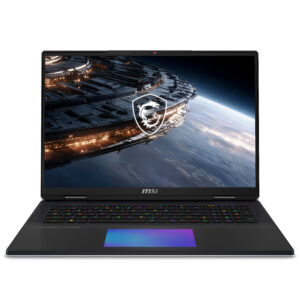
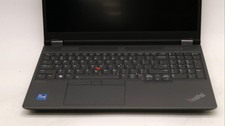
LenovoPCBuyer 9.8
Lenovo ThinkPad P16 Gen 2 (i9-13980HX, RTX 5000 Ada, 64GB/2TB)
Intel Core i9-13980HX · 64GB RAM · 2TB NVMe SSD
$1,355Current offer signal
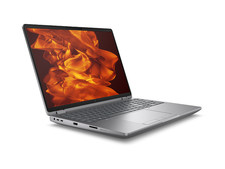
HPPCBuyer 9.8
HP ZBook Fury 16 G11 Core i9-14900HX 64GB 2TB RTX 5000 Ada
Intel Core i9-14900HX · 64GB RAM · 2TB NVMe SSD
$2,000Current offer signal

HPPCBuyer 9.8
HP ZBook Fury 16 G11 (i9-14900HX, RTX 5000 Ada, 64GB/2TB)
Intel Core i9-14900HX · 64GB RAM · 2TB NVMe SSD
$1,499Current offer signal
What to Look For
- NVIDIA RTX 4070/4080/4090 or higher, RTX workstation GPUs, or strong Apple Silicon where local workflow supports it.
- 32GB RAM minimum; 64GB or more for larger local models and creator workflows.
- 1TB NVMe SSD or more, with expansion room if possible.
- Cooling design, power limits, and chassis airflow strong enough for sustained GPU loads.
What to Avoid
- AI-branded PCs with weak integrated graphics for serious local AI.
- Workstations with unclear GPU model or VRAM.
- Thin systems that throttle under sustained GPU load.
- Underpowered power supplies or cases with no expansion path.
Check Before Buying
Before leaving PCBuyer for a merchant site, run the listing through the Deal Analyzer or compare it against current deals and Blue Book value signals.
Frequently Asked Questions
What matters most for a local AI workstation?
The GPU and VRAM usually matter most. RAM, storage, cooling, and power delivery then determine how useful and stable the system will be.
Is 32GB RAM enough for AI?
32GB is a practical starting point. 64GB or more is better for larger models, multiple tools, and creator workflows.
Should I buy a desktop or laptop AI workstation?
A desktop usually gives better performance per dollar and cooling. A laptop is better when mobility matters, but it often costs more for the same sustained performance.