
Student Computer Guide
Best Computers for Students
Affordable, reliable laptops and tablets for school, homework, online classes, research, writing, and everyday use.
PCBuyer shortlist
View all matching computers →Top Picks for Students
These are pulled from published PCBuyer product profiles and ranked for this specific use case.
HPPCBuyer 9.7
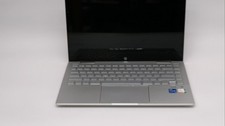
HP Pavilion x360 14 2022 (i5-1235U, 8GB/256GB)
Intel Core i5-1235U · 8GB RAM · 256GB NVMe SSD
$280Current offer signal

ASUSPCBuyer 9.7
ASUS Chromebook Flip CX5 (i5-1135G7, 8GB/256GB)
Intel Core i5-1135G7 · 8GB RAM · 256GB NVMe SSD
$280Current offer signal
MicrosoftPCBuyer 9.7
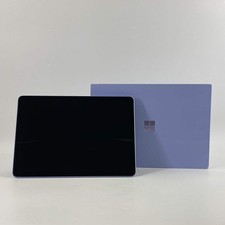
Microsoft Surface Pro
Intel Core / Snapdragon class · 16GB RAM · 512GB NVMe SSD
$925Current offer signal

LenovoPCBuyer 9.7
Lenovo ThinkPad X1 Yoga Gen 6 (i7-1185G7, 16GB/512GB)
Intel Core i7-1185G7 · 16GB RAM · 512GB NVMe SSD
$480Current offer signal
LenovoPCBuyer 9.7
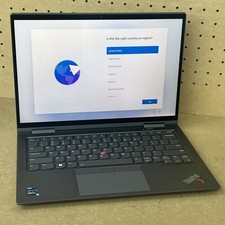
Lenovo ThinkPad X1 Yoga Gen 7 (i7-1265U, 16GB/512GB)
Intel Core i7-1265U · 16GB RAM · 512GB NVMe SSD
$320Current offer signal

LenovoPCBuyer 9.7
Lenovo ThinkPad X1 Yoga Gen 8 (i7-1365U, 16GB/512GB)
Intel Core i7-1365U · 16GB RAM · 512GB NVMe SSD
$346Current offer signal
What to Look For
- 16GB RAM when possible; 8GB only for basic Chromebook-style use.
- 256GB SSD minimum; 512GB is better for long-term school use.
- Good webcam, Wi‑Fi, keyboard, and battery life.
- Lightweight design with decent warranty or seller protection.
What to Avoid
- Very old dual-core laptops with 4GB RAM.
- Tiny 64GB or 128GB storage unless it is a simple Chromebook use case.
- Mystery marketplace listings with unclear model numbers or battery condition.
- Heavy gaming laptops unless gaming or GPU work is actually required.
Check Before Buying
Before leaving PCBuyer for a merchant site, run the listing through the Deal Analyzer or compare it against current deals and Blue Book value signals.
Frequently Asked Questions
How much RAM should a student computer have?
16GB RAM is the safer long-term baseline. 8GB can still work for basic browsing, writing, and cloud apps, but it leaves less room for multitasking.
Is a Chromebook enough for school?
A Chromebook can be enough for web-based classes, documents, and email. A Windows or Mac laptop is better when the student needs desktop software, local files, coding tools, or specialty applications.
Should students buy refurbished computers?
Refurbished can be a good value when the seller is reputable, the battery is acceptable, and the machine has enough RAM and storage for several more years.