Mini PC Guide
Best Mini PCs
Small, quiet computers for home, office, front desk, media, productivity, business counters, and compact desktop setups.
PCBuyer shortlist
View all matching computers →Top Picks for Mini PCs
These are pulled from published PCBuyer product profiles and ranked for this specific use case.
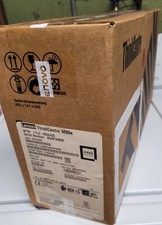
LenovoPCBuyer 9.8
Lenovo ThinkCentre Tiny Business Desktop
Intel Core i5 / i7 class · 16GB RAM · 512GB NVMe SSD
$115Current offer signal
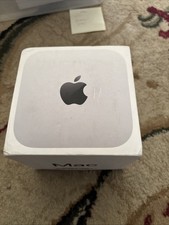
ApplePCBuyer 9.8
Apple Mac Mini M4 16GB 512GB
Apple M4 · 16GB RAM · 512GB NVMe SSD
$570Current offer signal
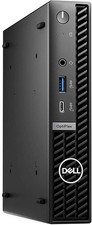
DellPCBuyer 9.8
Dell OptiPlex Micro Business Desktop
Intel Core i5 / i7 class · 16GB RAM · 512GB NVMe SSD
$140Current offer signal
ApplePCBuyer 9.8
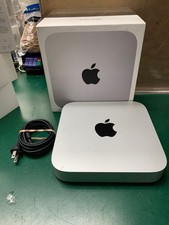
Apple Mac mini M1 (8-core CPU, 8-core GPU, 16GB/512GB)
Apple M1 Max · 16GB RAM · 512GB NVMe SSD
$780Current offer signal

ApplePCBuyer 9.8
Apple Mac mini M2 Pro (12-core CPU, 19-core GPU, 16GB/512GB)
Apple M2 Pro · 16GB RAM · 512GB NVMe SSD
$100Current offer signal
ApplePCBuyer 9.8
Apple Mac mini M2 Pro (10-core CPU, 16-core GPU, 16GB/512GB)
Apple M2 Pro · 16GB RAM · 512GB NVMe SSD
$129Current offer signal
What to Look For
- Ryzen 7, Intel Core i5/i7, Apple M-series, or modern N-series CPUs matched to the workload.
- 16GB RAM and fast NVMe SSD for office and home productivity.
- Good port selection: USB‑C, HDMI or DisplayPort, Ethernet, and enough USB ports.
- Upgradeable RAM and storage when possible.
What to Avoid
- Less than 16GB RAM for business or long-term use.
- Slow eMMC storage.
- Limited ports and poor cooling.
- Mystery-brand systems with weak support or unclear warranty.
Check Before Buying
Before leaving PCBuyer for a merchant site, run the listing through the Deal Analyzer or compare it against current deals and Blue Book value signals.
Frequently Asked Questions
Are mini PCs good for business?
Yes. Mini PCs are often excellent for desks, front counters, kiosks, reception areas, and shared office workstations.
Can a mini PC replace a desktop tower?
For many office and home users, yes. A tower is still better when you need a full GPU, many drives, or major expansion.
What specs should a mini PC have?
For most users, start with 16GB RAM, a 512GB NVMe SSD, and a recent Intel Core, Ryzen, Apple M-series, or better N-series processor.